Remmina - RDP into AzureAD windows 10 or 11
On this page 3 sections
RDP into an AzureAD windows 11 or 10 computer from linux via Remmina
On windows.
- Goto settings and then to remote desktop connections.
- enable RDP
- disable NLP
In Remmina
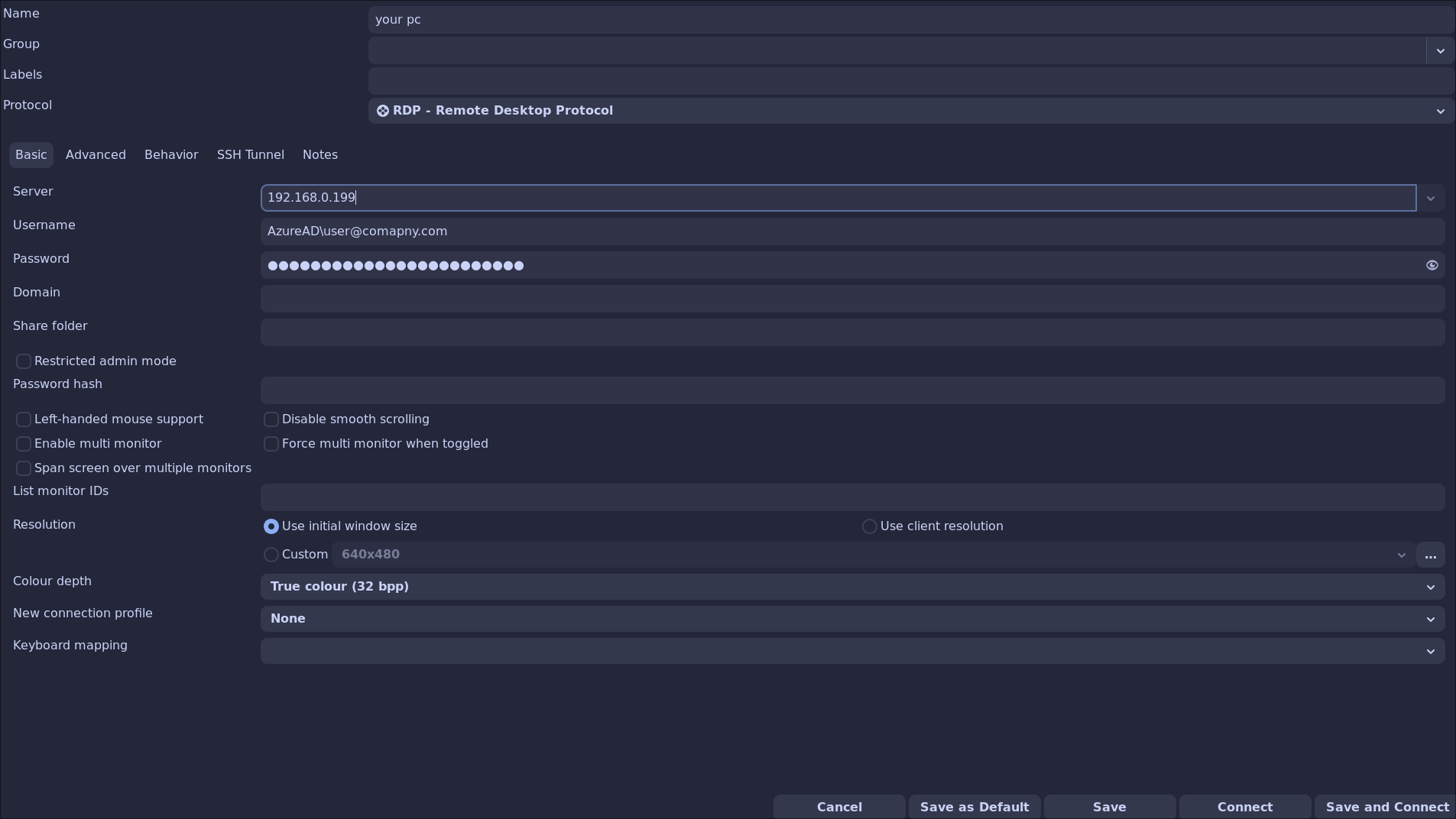
- Create a new connection.
- Add your specific details and match the rest of the configuration with the below:
- Change to the advanced tab and copy these settings.
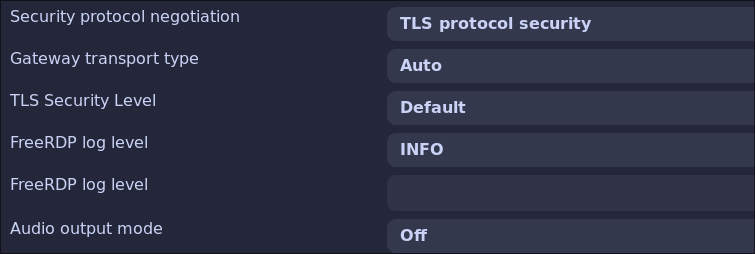
- Save the connection and try to connect, it should work straight away, if you dont change the TLS and Gateway settings it will immediately fail.
Turning off NLP can decrease the security of your system, make sure you are using strong passwords.