Flashing to IT mode
Use the attached files.
First you must make a bootable DOS system. Use RUFUS to install it on a usb.
Make sure the computer you are using supports old BIOS mode not UEFI, as that makes this harder.
More information can be found here, as this is the orginial source i used to do this in the first place. However I feel that the article is more complicated than necessary so I recorded my steps in an easy to follow way, with only the files needed to flash this exact device.
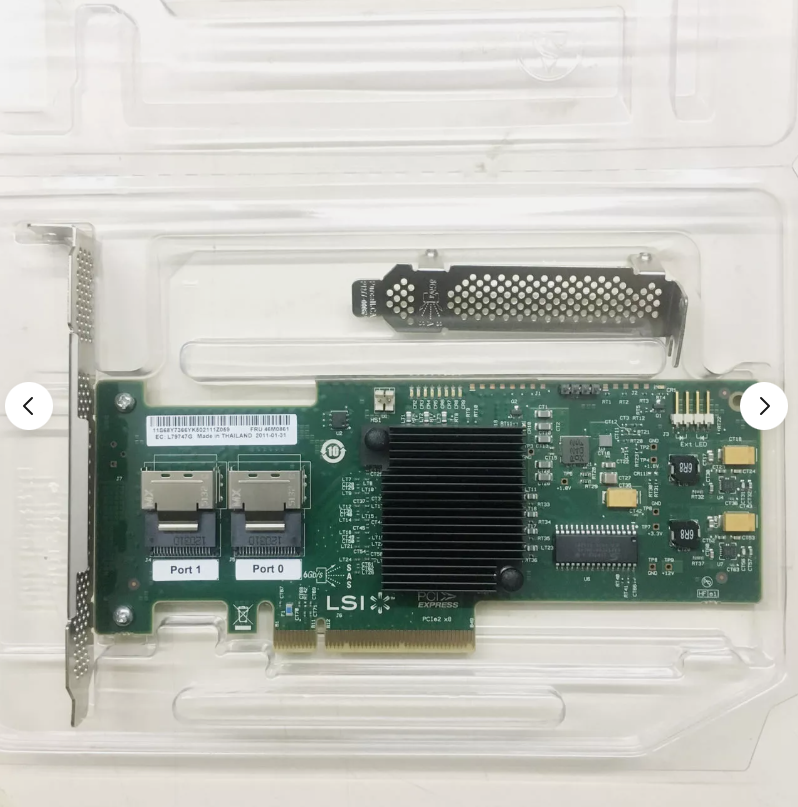
You MUST have the controller's SAS adress BEFORE you start this cross flash!!!
At the C: prompt - type in the following exactly: sas2flsh -list
(this should reveal the SAS address, record all 16 digits on the line below)
At the C: prompt – type the following:
megarec -writesbr 0 sbrempty.bin
wait for the output to read Chip is in FUSION mode SUCCESS... then type:
megarec -cleanflash 0
wait for it to completly erase the flash chip, then reboot, back to USB stick.
At the C: prompt - type in your choice from the two options below
-
If you WANT the boot ROM, type:
sas2flsh -o -f 2118it.bin -b mptsas2.rom -
If you DON'T want the boot ROM, type:
sas2flsh -o -f 2118it.bin
Now this next step is where you need the SAS address you wrote down earlier.
type: sas2flsh -o -sasadd 500605bxxxxxxxxx (x= numbers for SAS address)
then remove DOS flash drive
Boot into the motherboard BIOS and change your boot order back to the FreeNAS boot drive.
Remove the two mini SAS connectors from your motherboard and boot into the FreeNAS GUI.
In the left panel, find and open the shell, type in your password. At the # type this
dmesg | grep mps
The results will show the firmware version and the driver version. If all is well they
should both start with the number 20, if they match you have finished!!!
Attachments
- flashIBM.rar